
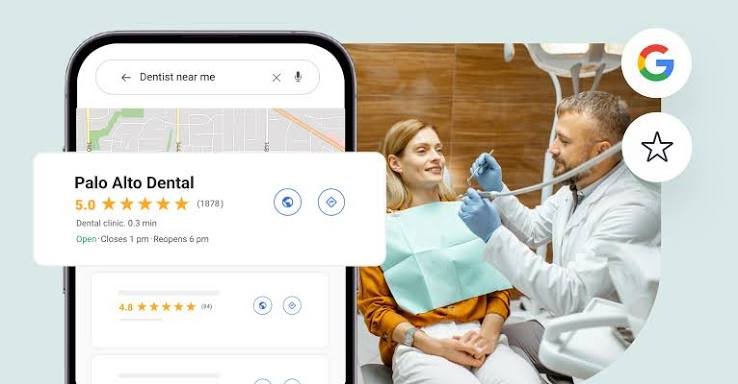
How to Get More Google Reviews for Your Dental Practice (Without Breaking the Rules)
The most reliable way to get more Google reviews is to ask every patient, at the right moment, with a direct link, and to respond to every review you receive. What you must not do is pay for reviews, reward them, or ask only the patients you expect to be happy. Those shortcuts violate Google’s policies and can lead to removed reviews or a suspended profile.
Key takeaways
- Ask every patient. Selective asking, sometimes called review gating, is against Google’s rules.
- Never offer discounts, gifts or draws in exchange for a review.
- The best moment is just after a positive interaction, such as a finished visit or a thank-you from the patient.
- A direct link or QR code removes the biggest barrier, which is finding the page.
- Reply to every review in a privacy-safe way.
Why reviews matter for a dental practice
Reviews do two jobs. They help Google judge how prominent and trustworthy your practice is, which supports your visibility in local results, as covered in our local SEO guide. And they work as social proof for the patient deciding between three clinics on a phone.
Because a dental visit involves trust, patients read the content as well as the star rating. A review that mentions a calm hygienist, a clear explanation of costs or help with CDCP paperwork persuades more than a bare five stars. Your goal is a steady stream of recent, specific, genuine reviews, not a one-time burst.
What Google prohibits
Google’s policies on user-contributed content set the boundaries. In summary, you must not:
- Pay or reward people for reviews, including discounts, free products, gift cards and prize draws.
- Gate reviews by asking only satisfied patients, or by sending unhappy patients to a private feedback form instead of Google.
- Post fake reviews, or ask staff, friends or family to review as if they were patients.
- Write reviews of your own practice or of competitors.
- Bulk-buy reviews from a service that promises results.
Canadian law adds a second layer. The Competition Act prohibits false or misleading representations, and fake or incentivized reviews presented as independent opinions can fall under it. Regulators of the dental profession may also limit how clinics use patient testimonials in their own advertising, so check your provincial college’s rules before you repost reviews on your website or social media.
Step 1: Get your direct review link
In your Google Business Profile, find the option to share a review form. Copy the link, and shorten it if you like. Create a QR code from it for the front desk and operatories. Test the link on a phone, because that is how most patients will use it.
Step 2: Choose the right moments to ask
Ask when satisfaction is highest and the patient has a minute.
- At checkout, after a smooth visit.
- By text or email within 24 hours, with a short thank-you and the link.
- After a milestone, such as completing a treatment plan, a successful emergency visit or a child’s first appointment.
- When a patient compliments you, to a team member or in person.
Train your team to ask everyone. If you ask a consistent share of patients, your reviews will reflect your real experience, good and bad, and that mix is what looks credible.
If you message patients electronically, check that you have their permission under Canada’s anti-spam law. Ask for consent to email or text at intake, and keep a record.
Step 3: Use simple scripts
People agree more readily when the request is brief and specific. These examples can be adapted.
In person at the front desk: “We’re glad you came in today. If you have a minute, a Google review helps other patients find us. You can scan this code, and you’re welcome to mention what mattered to you.”
By text: “Thanks for visiting [Practice] today. If you’d like to share your experience, here’s our review link: [link]. No pressure, and thank you either way.”
By email after a longer treatment: “Thank you for trusting us with your care. Your feedback helps other families choose a dentist with confidence. If you’re willing, you can leave a review here: [link]. Questions about your treatment? Call us at [phone].”
Avoid wording that nudges the rating, such as “please leave us five stars.” Ask for honest feedback instead.
Step 4: Reply to every review
Responding shows prospective patients how you treat people, and it signals that the profile is actively managed.
Positive review reply: “Thank you for the kind words, and for taking the time to write. Our team is glad you felt comfortable, and we look forward to seeing you at your next visit.”
Negative review reply: “We’re sorry your experience didn’t meet your expectations. We take feedback seriously. Please call us at [phone] so we can look into this properly.”
Two rules apply to every reply. Do not confirm that the reviewer is a patient or mention any treatment, because privacy laws and professional duties of confidentiality still apply when the patient has chosen to post publicly. And never argue. Keep replies short, calm and free of detail.
Step 5: Deal with unfair or fake reviews
If a review breaks Google’s policies, such as spam, a conflict of interest or content that is off-topic, flag it for removal from your profile. Document the issue, and be patient, because decisions can take time. Do not ask a patient to delete a review, and do not threaten them. For defamatory content, speak to your professional liability insurer or a lawyer before taking action.
A review that is simply critical is not a policy violation, so respond professionally. A thoughtful reply to a fair complaint often earns more trust than a perfect rating.
An illustrative routine
The following routine is a planning example for a three-chair clinic, not a measured result.
| Who | What | When |
|---|---|---|
| Front desk | Asks every patient at checkout and shows the QR code | Daily |
| Office manager | Sends the text or email follow-up | Within 24 hours |
| Dentist or manager | Replies to every new review | Within 2 business days |
| Practice owner | Reviews trends, themes and complaints | Monthly |
Tools and budget
You can run this system with a QR code, a link and a calendar reminder. Reputation tools that automate requests and monitor reviews exist, and their pricing varies by vendor. Choose one only if it asks all eligible patients and does not filter by satisfaction. Ask any vendor directly how it complies with Google’s policy on gating.
Common mistakes
- Asking only patients who seem pleased.
- Offering a draw, a discount or a gift for reviews.
- Using reviews from staff or family.
- Replying with treatment details.
- Responding to criticism defensively.
- Letting the review count stall for months, then rushing a batch of requests that looks unnatural.
FAQ
How many reviews does a practice need?
There is no magic number. What matters is a steady flow of recent reviews and a rating that reflects reality. Compare yourself with the other clinics that appear for your main searches.
Can we thank patients with a small gift after they review?
No. Rewards connected to a review break Google’s policy, even when the gift is small or given afterwards.
Can we ask patients by text?
Yes, provided you have their consent to receive electronic messages, and the message is transparent and easy to opt out of.
Should we post reviews on our website?
Often yes, but check your provincial regulator’s rules on testimonials first, and use reviews exactly as written.
What if a competitor leaves a fake review?
Flag the review as a policy violation, keep records and reply professionally. Escalate to a lawyer only for clearly defamatory content.
Conclusion and next step
Reviews follow routine, not luck. Create your link and QR code this week, train the front desk to ask every patient, and assign someone to reply within two business days.
Sources: Google’s policies on user-contributed content and Google Business Profile Help. Confirm current rules before acting, since platform policies change. Last updated: October 7, 2026.